Technologies To Wake Up Our Life

Saturday, 8 March 2014

Indian students launch FreeKall, an offline voice calling service

By on 13:51
With FreeKall, users will be able to make free calls even if they don't have any internet access
 Three Bangalore based engineering students, Yashas C Shekar, Vijaykumar Umaluti and Sandesh E, have launched FreeKall, a free voice calling service for those who do not have any internet access.
FreeKall makes money by making people listen to advertisements during calls. So once two users are connected, they will be able to hear 10 second advertisements after every two minutes in the middle of the call. Freekall has tied up with a media agency called Streetsmart Media Solutions for the advertisements.
To make a FreeKall users have to dial the numbers 080-67683693 or 080-67683693 and the call will be disconnected after a ring. After that, the automated system calls the user back and asks them to dial the desired number and get connected. The system can currently support 20,000 calls per second. FreeKall is currently in Beta as of now and so far it has already been used to make nearly four lakh (400,000) calls so far.
Registered users can make 12 minute calls in 24 hours and un-registered users can make calls for upto three minutes. Once the service goes live, registered users will be able to make unlimited calls.
The company is aiming for nearly 10 million calls a day after getting the necessary legal clearances and expects revenue of nearly $30 million at the end of the next fiscal year.
"The response has been phenomenal. Our servers crashed about seven times and we had to bring it back up," said Yashas Shekar, the 23-year-old who co-founded the company with college-mates Vijayakumar Umaluti and Sandesh Eshwarappa. "On the flip side Sandesh, and Vijayakumar have not slept since Saturday," chuckled Shekar.

Recently an Indian student had developed a prototype of a computer system that uses a microchip, embedded with an operating system. It allows the system to work on both Windows and Linux-based software simultaneously. The system is called Revo Book and runs on an operating system called ReVo IX.

eBay and PayPal UK website hacked by Syrian Electronic Army

By on 13:46

A pro-hacker group, aligned with president Bashar al-Assad, very well known as Syrian Electronic Army- Our Official Website(SEA) has again gained the media attention by adding the popular sites, i.e. eBay UK and PayPal UK to its victim list.
After targeting websites of various media agencies, government organizations and big enterprises, including the latest defaced CNN and Microsoft, today they targeted and defaced the official websites of UK’s Ebay (ebay.co.uk) and PayPal (paypal.co.uk).

The group also left a deface page along with a message on the hacked PayPal UK site: “Hacked by Syrian Electronic Army! Fuck the United States Government.”
It is clear that the attack on PayPal could put millions of peoples' bank information at risk, but the group said that the attack is not to target account information of people instead was ‘Purely a Hacktivist Operation’ with the reason behind is the discrimination of Syrian citizens by PayPal company.
“For denying Syrian citizens the ability to purchase online products, PayPal was hacked by SEA”, “If your PayPal account is down for a few minutes, think about Syrians who were denied online payments for more than 3 years. #SEA”, the messages in the Official Twitter account of the group.
PayPal is currently one of the biggest international e-commerce business, allowing payments and money transfers to be made through the Internet. Whereas eBay is an American multinational internet consumer-to-consumer corporation popularly used for Online shopping around the Globe. 
Anuj Nayar, PayPal's senior director of global initiatives, told Mashable, "For a brief period today, a very limited number of people visiting certain PayPal and eBay marketing pages in the UK, France and India were redirected. The issue was quickly detected and resolved. No customer data was accessed by these redirects, and no customer accounts were affected. We take the security and privacy of our customers very seriously and are actively investigating the reasons behind the temporary redirects."
At the time of writing, The official website of Hacking Group was down and the Twitter account has also been suspended.

World's First Laptop and its still Running

By on 13:43
Having 256KB (Kilo-bytes) of RAM and a 4.77 MHz Intel Processor made your computing dreams come to life and just like the Macbook Air of today it didn’t have a regular Hard Drive. Instead it supported floppy disks and weighed in at a whopping 4.1 Kilograms. Pricing was set at $ 1899:) 


World's First Laptop


Wednesday, 5 March 2014

Google Zero Gravity and 5 Similar Google Pranks

By on 15:54
Google Zero Gravity is gradually creating a buzz among its user base which is captivating everyone’s attention. However, very few users know that Google Zero Gravity has got 2 fraternal twins the Google Zero Gravity inversion mirror and Google Zero Gravity Underwater. Furthermore, there are a number of more such Google tricks that are such a fun to try. In this article I’m going to introduce you to these 2 Google Gravity tricks and some of the other untold interesting Google tricks.

Google Zero Gravity Tricks

Google Zero Gravity

Google zero gravity is a surprising Google trick wherein the Google home page looks all fine until we move the mouse pointer within the webpage. The moment the page identifies a mouse pointer movement, all the elements of the page, including the topmost tabs, the sign-in button, the Google logo, the search bar and the two search buttons collapse as if there was a gravitational pull all of a sudden.
Google Zero Gravity in Action
 Google Zero Gravity
Like it? Explore the below link for it.
Click here to try Google Zero Gravity

Google Zero Gravity Inversion Mirror

The next version of Google Zero Gravity is the Google Zero Gravity Inversion Mirror. This trick is similar to Google Zero Gravity. Just that all the elements on the screen seem to be inverted as in a mirror. It is fun trying to figure out the collapsed inverted words.
Google Zero Gravity Inversion Mirror in action
Google Zero gravity inversion mirror
Click here to Get Google Zero Gravity Inversion Mirror

Google Zero Gravity Underwater

As the name suggests, Google Zero Gravity Underwater pertains to the aqua world with awesome turquoise colored theme and a variety of underwater creatures. When we tap on the screen, ripples are formed on the surface and the Google logo and search bar along with the search buttons go haywire.
Google Zero Gravity Underwater in action
 Google zero gravity underwater
Click here to try Google Zero Gravity Underwater

Other Google Tricks

Do a Barrel Roll

When this phrase in entered into Google search bar as it is, you immediately see that the search result screen rotates like a barrel once.
Do a Barrel Roll in action
 Do a barrell roll
Click here to try Do a Barell Roll

Google Pac-man Doodle

On the 30th anniversary of our ever favorite and super addictive game – Pac-man, Google presented a special Pac-man doodle that lets one play Pac-man on the Google home page itself, right above the search bar.
Google Pac-man in action
 Google pac-man
Click here to try Google Pac-man

Google Sphere

Google Sphere is yet another pleasant surprise like the Google Zero Gravity. On moving the mouse cursor on the screen, all the elements on the screen form a sphere and start to revolve around the Google logo.
Google Sphere in action
Google sphere
Click here to try Google Sphere

Google Zerg Rush

In Google Zerg Rush, the search engine results page’s results would be broken by red and yellow zeros that pop out from the corners of the screen when the phrase ‘Zerg Rush’ is search for. After all the text/links in the screen vanish, the zeros form a GG figure.
Google Zerg Rush in action
Zerg rush
Click here to try Google Zerg Rush
Hope you enjoy these Google Zero Gravity and other tricks.
Which was your favorite trick and why?

Saturday, 1 March 2014

Amazing Tricks to Speedup Pendrive Data transfer.

By on 14:08
Pen drives or USB are quite popular in the digital world for instant transfer of data. Using USB flash drives, one can easily transfer large files from one PC to another, from PC to laptop, from laptop to TV, and vice versa. This latest technology has made our work easier than before. In current times, you can move Gigabytes of information into just a tiny pen drive within few seconds.
In recent years, a lot of changes has been made in storage devices. When you compare new pen drives with the older ones, you will notice a considerable high transfer rate in the latest ones. However, there are times when you can get irritated with slow transfer speed of pen drives while copying data in pen drives. Well, this article shall provide you with some tricks using which you can Speedup Pendrive Data Transfer Rate

Factors responsible for data transfer rate:


Before knowing the tricks, we shall have a look at some factors responsible for data transfer rate , and they are as follows.
1.Pen drive ageing: Well, this is common for any device that when it becomes old, the rates gets slower.
2.Type of files: The transfer rate of data also depends on the file type; you might have noticed that songs, videos and documents take very less time in transfer while application files need more time.
3.USB port version: The most popular version of USB is 2.0, and it will give you 35mbps speed. So, if you want fast speed then buy 2.0 version pen drives.

Few tricks to Speedup Pendrive Data Transfer Rate:


1.File system should be NTFS: If you want to Speedup Pendrive , then make sure you have NTFS as file system. You can do so by Right clicking on your pendrive and selecting Format,Select NTFS File system, Uncheck Quick Format And Click On Start.
2.Disk errors: To check disk errors go to the properties tab of your pen drive, then select ‘tools’ tab. You will find a ‘check now’ button, click it and then hit ‘start’ to fix the errors. The time taken for scan depends on the size of the pen drive.
Speedup Pendrive
3.Device policy: Under properties of your pen drive, select ‘hardware’ tab. Then select USB device from there that will lead you to a pop up window where you need to change settings. You can even have better performance of pen drive by clicking the option under ‘hardware’ tab.
4.Format: This is one of the effective options that many users have tried. When you have used your pen drive for quite a long time, you can speed it up by formatting the device.
Carefully test your pen drive with the factors given above to Speedup Pendrive. In addition to this, you should keep checking for these aspects regularly, say twice or thrice in a month.

Wednesday, 26 February 2014

Top 5 Websites to Make Money by Uploading Files in 2013

By on 08:10
Do you ever imagine What will happen if your uploaded files makes money for you? Well its sounds good as today I am going to tell you some top 5 sites where you can make money via uploading your files and downloads. This suites best for WP Blogs where you can upload data! Now a days its being the best method to earn some bucks and each time you upload your files to their servers and someone downloads them, you get paid a certain amount. Also This scheme of making money online can be much helpful for those students who tend to have lots of project files, downloads and solved assignments etc. So lets check my top 5 websites to make money by Uploading files in 2013 below.

Top 5 Websites to Make Money by Uploading Files:

1. Docstoc.com

Docstoc is one of the best revenue sharing programs over the internet. It allows you to upload various file formats like XLS, PPT, PDF, XLS, DOCX, TXT and DOC etc.
Note- Docstoc shares 50% of the revenue generated through Google’s Adsense program, where user can earn 50% of the cash generated from documents uploaded.

2. Depositfiles.com

depositfiles Depositfiles will pay you around 25$ per 1000 downloads of the files that you upload. The files can be video, audio, text files etc. The maximum upload file size is up to 2GB! Payments are made via PayPal, Check and Wire.

3. Sharecash.org

Sharecash is one of the leading pay per download network in the industry, started in early 2009. Now get around $1 to $10 for your each download at ShareCash. To download files, user must have to complete the survey based on his location. They support PayPal, Payza, Payoneer, bank transfer and even checks.

4. Crocko.com

crocko Crocko is another amazing file upload website that pays generously to its users with the rate of approx 1$ per 500 downloads. The only drawback is that the files which are not downloaded for more than 60 days are deleted from the servers. Therefore the solution is to get an premium account.

5. Uploading.com

Uploading is an site where they pay up to $20 per 1000 unique downloads. If your downloaded file is unique, demanded and head over heels on the site, then enjoy the revenue. The payments are made easily via PayPal and Webmoney (minimum payout is $30).
That’s it! I hope now you can monetize your downloads with these top 5 uploading websites.

Tuesday, 25 February 2014

Top 10 Best Websites to Learn or Improve your English Online for Free

By on 09:20
Learning English is one of the best decisions one can make in order to improve their communication skills. There are almost 300 million people in the world who speak English as a second language. Learning English will also increase you confidence and you will also be able to impress your foreign clients or colleagues.

learn+english+online
So, you have decided that you want to learn English, but don't know from where? or you don't want to go to some silly coaching who guaranty to teach you English in 4 weeks? if you answered "YES!" to any of the questions above, then this post is for you. Below is a list of top 10 websites to learn English online for free.
Must check: How To Make WhatsApp Free For Lifetime

1.BBC - English learning

BBC+-+English+Learning 
Before Internet became popular people used to learn English from Radios. As we all know BBC is the most renowned radio channel and is translated into 30 different languages. Learn English by BBC emphasis on topics like- Grammar, pronunciation, business English, and they teach these well using there quizzes, downloads, and the vast community that they have made over the years. This website is the one that you should definitely try if you already know little bit of English.

2.How do you do? 

 How+do+you+do
This is a simple, free, yet amazing website. You can practice English by talking to Non-native speakers around the world using Skype. This website acts a bridge between people who want to learn and practice English. Also you don't have to waste your time on this site like you do on most language exchange website.

3.Second language on About.com

English+as+second+language
This website has the best amount of English learning materials, tips, quizzes, grammar and vocab exercises. This website covers topics like: Beginning English, Intermediate English, Advanced English and Speaking, grammar and lesson plans for TOEFL, IELTS, Cambridge, etc.
Must Check: 10 Creative Way To Make Money Online

4.English Central

English+Central
This website has both free and paid account options. The website's core is their video player, where students watch videos, learn vocab in-context of the video, and then speak using video as a model. The best part is that, they have a easy-to-use built-in tool called "intellicoach" that gives students feedback on their pronunciation.

5.Voice of America

American+English 
There is a lot of information on this website. The best part is that they teach you fluent American English. You can learn by watching latest news related to World, USA, Business, Health, Education. etc. This will not only improve your English, but also increase your General Knowledge. This is a very very useful website.

6.ABCYa.com

abcya
This is a website for kids, but that does not mean adults can't use it. This is an online game website that has games organized according to grade level. There are word and typing games to improve your English skills. This website was made for children learning but beginners can use it. The only set backs are that this website is not just for English so you will not get a huge quality of matter, and the main page of the website is a bit too much ad heavy.

7.Easy World of English (EWE)

easy+world+of+english
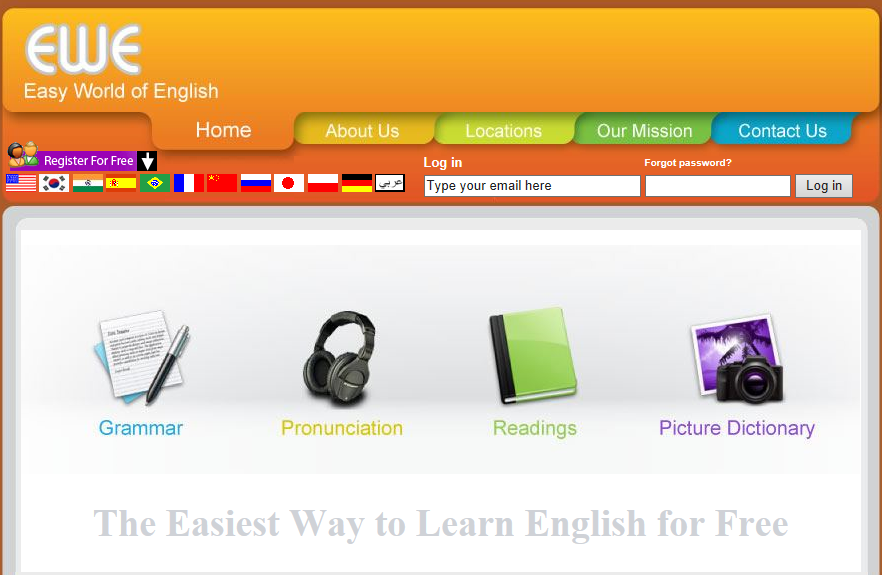
Easy English World or EWE is one of the best websites to learn English online. They are known for teaching the best English grammar on the web. With very easy and quality courses on grammar they also offer pronunciation guide. You can learn to pronounce from very difficult words to all English alphabets. If you want to brush up your reading skills or vocabulary then they have a Readings page and also a Picture Dictionary to let you learn fast. PDF notes are also offered with some courses.

8.ManyThings.org

Manythings.org
This website is not the most fancy one, but they have quality content and no ads. Mainly known for their quizzes, puzzles, and crossword, this website offers you with more than ;hundred vocab lists and more than 20 games to pay with each one of them. Students can even browse links to YouTube videos, work with English proverbs and match definitions to words. Their content is high quality and you will learn English very consistently if you are persistent. You will even improve your American History. They now even offer these courses for iPad.

9. PhraseMix

phrasemix
These people are one of the few who have a very nice and user friendly website. Their blog teaches English to students by giving a "phrase a day". The phrases are explained with the help of examples to improve your vocabulary. Students can look at the website daily or get the phrase delivered directly in their inbox. The phrases are both formal and casual. The website also has sections which offer explanations of basic conversation techniques.

10.MyEnglishTeacher.eu

myenglishteacher 
This is a resource website. They provide you with the best tips, websites and material to get fluent in English. So you can choose the information you need and also improve a lot by reading and practicing English once a week. You can either practice with a qualified English Teacher or by subscribing to their for their news letter, which will deliver the best content related to learning English  directly in your inbox. The only set back is that, if you want to learn English from a qualified teacher you have to spend 3 bucks, but the subscription is free.

So, that's it. Choose the website that suits you best and learn English from the Best Websites for Free!

Monday, 24 February 2014

How to Lock your Windows PC or Laptop with USB - Extra Security

By on 20:53
Do you want to add an extra layer of password security to your computer in your absence. Then you can try locking your computer with USB Lock. Yes you can use USB as key just like we use normal keys to unlock the keys.So you need need the USB drive to unlock the computer. You will be having access till the USB drive is present connected to the computer. It will be automatically locked if the USB drive is disconnected from the computer. This way you can add another layer of security to your computer.

lock-pc-with-usb.jpg
In order to use lock your computer you need to get a software tool "Predator"Professional Edition here[official link] and Free Edition from Here[official link]
Choose the best suitable one depending on your operating system bit.

Step by Step Process for How to Lock PC with USB

  • After Downloading after Predator. Connect the USB Drive that you want to use as key to your computer.
  • And then run the predator installation.
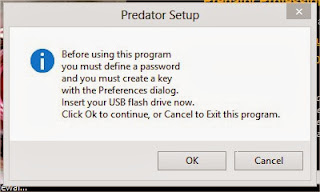
  • Before continuing installation. A popup will ask you to create the new password, Enter your desired password and then hit on Ok to continue.
predaytor
  • Now predator will present you a box with preference settings.
predaytor+2
  • You can change settings as per your need and you can add the USB drive by selecting the drive under Flash Drive settings and hit on create key to generate a key on the usb which will be used by the predator to monitor.
  • When Predator is running on your computer you can see the predator icon in the taskbar as shown in below image.
predatro+3
And Predator offers one month free trail of the Professional edition which include sending of twitter messages to you and many more features.

Sunday, 23 February 2014

Free EBooks In Programming

By on 16:37
1. C PROGRAMMING :- C Programming is one of the Popular and most Wanted Programming language ever,
C is very useful to create Softwares and Programming Software, mostly C Programming
is widely used in Programming Linux, Windows and OS.


a.
C Programming Coding and Methods
b. C Programming for Beginners
c. C Programming Medium Level Tutorials
d. C Sharp Programming Advance
e. Deep C Programming Advance

2. C++ PROGRAMMING :- C++ is the Next Generation of C. C and C++ not having much difference but C++ is popular nowadays coz, easy to understand and easy to learn C++ instead of C. C++ is from same category of Software Programming, Mostly whatever program we use in Computer are designed and Created into C++, I would prefer you to learn C++ Instead of C.
a. C++ beginners (14 Days Learning Course Book)
b. C++ Better Device Software Developement 
c. C++ Middle Enginnering Tutorial

d. Practical C++ Programming (1995 OLD is GOLD)
http://www.mediafire.com/download/0e95i09fihox83s/Practical_C%2B_Programming_(1995_OLD_is_GOLD).zip 


3. HTML WEB PROGRAMMING AND DESIGNING :-
HTML (Hyper Text Markup Language) is the web Programming language the most most most useful and useable Web Programming language, Programmer, hacker, developer everyone need to learn HTML. HTML is the Source and Base of all Web Programming languages, If you don't know HTML then you can't learn any Web Programming lang. I would prefer you to learn HTML and HTML 5 before starting to Javascript or PHP.
a. HTML + XHTML Programming
b. HTML Advance Codes
c. HTML Basic for Beginners
d. HTML Clean Codes

e. HTML Complete Reference

f. HTML Important Codes and tutorial

g. HTML Programming Lessons

4. JAVA PROGRAMMING :- I hope you might have heard what is Java, and what are the uses of Java, if you don't know Download Java and While Installing you'll see it will tell it's own features that Java run more then billions of Electronics and every Connection and Programs, Java is there, Java is High Level Programming Lanugage. Java is also very useful but I would prefer you to learn Java Basic to have knowledge of Java Programming.
a. Java Programming Advance + Middle Age
b. Java Tutorial for Beginners

 
5. JAVASCRIPT PROGRAMMING AND DESIGNING :- Now, Javascript - one of my favourite Programming language. I would prefer you to learn Javascript after HTML so you can be the Best Web Programmer. I hope you can see a twitter bird flying on your Screen, just look on page - that bird is designed and moving coz, of javascript whatever web animations, widgets advance Web Application is running due to Javascript. Facebook, G-mail, Yahoo every Site uses Javascript to make their webpage more attractive, Understandable and Secure.
a. Beginning Javascript
b. Complete Javascript Book
c. Complete Web Programming Advance
d. Javascript 1.1 Complete Tutorials
e. Javascript Tutorials
f. Learn Javascript in 10 Days


6. PHP + SQL + SQLI PROGRAMMING :-
As you know that SQL is a Programming lang. of Database (Structured Query Language) without SQL, we can't login to any website and access our files. SQL is the most useable Pogramming lang. SQL is only use for Database Structuring storing info data. Now PHP (Hypertext Pre-processor or Personal Home Page) PHP is widely used in web applications to connect with Server, Web Applications and SQL DB. PHP is really very useful in Web Programming world, without PHP there could be nothing. Every Hackers need to learn PHP,SQL and SQLI (SQL Injection).
a. Learn SQL in 24 Hours

b. Manipulating Server using SQL and SQL Injection attack
c. PHP + SQL tutorials
d. PHP Guidence and Tutorials
e. PHP Security Prograamming and Guidence
f. SQL Injection Attacks and Programming
g.Teach yourself Complete SQL in 21 days

7. VISUAL BASIC PROGRAMMING :- Visual basics comes into Software Designing and Communicating Software with User, Visual basic is the Base like HTML it is really very interesting and it is ejoyable to create our own apps and software using Visual Basic. Mostly Software were design and get contents through visual Basic only, If you are newbie in Software programming then I'll prefer you to learn Visual basic then C++, Python, C, C#, F# etc 
a. Complete List Of Visual Basic Commands
b. Visual Basic beginner Smart Engineering

c. Visual Basic Complete Reference

d. Visual Basic Software Creation Part 1
e. Visual Basic Software Creation Part 2
f. Visual Basic Software Creation Part 3
g. Visual Basic Tutorials

8. VISUAL C++ SOFTWARE PROGRAMMING :- Visual C++ is the mixture and combination of Visual basic and C++ this is called Visual C++, when you've make a advance Software that interface with users and also have Good Programming Structure then Programmers always use Visual C++ for Windows Software developement. 
a. Visual C++ Complete Guide and Reference
b. Visual C++ Software Programming

9. PYTHON :- Python is one of the most advance and Most adorable Programming language it. It's just awesome since from 1990's. Python is a high level programming language which increasingly popular. I have collected Some Beginners and Medum level Python Programming E-books free which contains lots of exercises, practices, example programs and many more. I hope you'll like and Share it.

a. An Introduction to Python
b. A Byte of Python
c. How to think like a computer scientist (Python Programmer)
d. Think & Program Python

10. BATCH FILE PROGRAMMING ( MS-DOS ) :- If you're Geek & learning CMD & MS-DOS Programming or going for C++ or Advance programming language then I'll prefer you to start with Batch File Programming it's easy to understand and simple coding method with simple tricks and many cool stuffs, it's the first step to Enter's into MS-DOS world. Batch file is commonly useful while using Windows Platform OS.


a. Batch & MS-DOS Programming
b. Advanced M.S DOS Batch File Programming
c. Batch File Programming and Coding Lessons
d. Black Sun Lessons about Batch File Programming
e. Deep Batch file Programming and MS-DOS 

11. ANDROID SOFTWARE DEVELOPMENT ( APPS ) :- Android is the biggest and largest Mobile OS running on our Planet, Android run Millions of Gadgets, Smart Phones and therefore Android Apps are widely used everywhere there are millions of Developer develop apps daily and Publish on Google Play and Earn Money, Even you can do that and earn money, but first of all you'll require Android App Dev Kit and tutorials to dev Android Apps, Here I'd collected some E-books to make Android Apps and Learn Android Software Programming.
a. Android Software Development for Beginners
b. Android Apps Dev. Medium Level

c. Android Professional Software Dev Tutorials
d. Complete Android Apps Development Collection
e. Welcome to Android Software Developement
f. Android Apps Creating tutorials with Complete Guide
g. Android 2.3 to 4.4 Complete App Dev with Sample App

12. DOT NET ( .NET ) PROGRAMMING :- .NET - The .NET Framework is a new computing platform developed by Microsoft that simplifies application development in the highly distributed environment of the internet. .NET is much more than just a platform for developing for the internet, but it is intended for this purpose predominantly, because here, others methods have failed in the past.
a. Mastering in .NET (Basic of .Net + VB)
b. C++ .Net (OOP MS C++.Net)
c. An Intro to MS- Visual C/C++ .Net = E-books
d. Complete Visual C++ .Net E-book + Tuts
e. ASP .Net (Beginners)
f. ASP.Net (Step-by-Step) Course Book
g. ASP.NET (Bible of Programming)
h.  .Net Tutorials for beginnners